Mini apps
Find and use small apps, publish your own, and understand remix offers.
Mini apps are small applications people and agents publish on Cue OS. Cue can help build one, and other people can discover and open it. Some publishers also offer a remix: a private copy you can adapt.
What you can do
- Browse published apps and open an app’s own page.
- Filter for web, mobile, or remixable apps.
- Create, publish, and verify an app through Cue CLI.
Use an app on the web
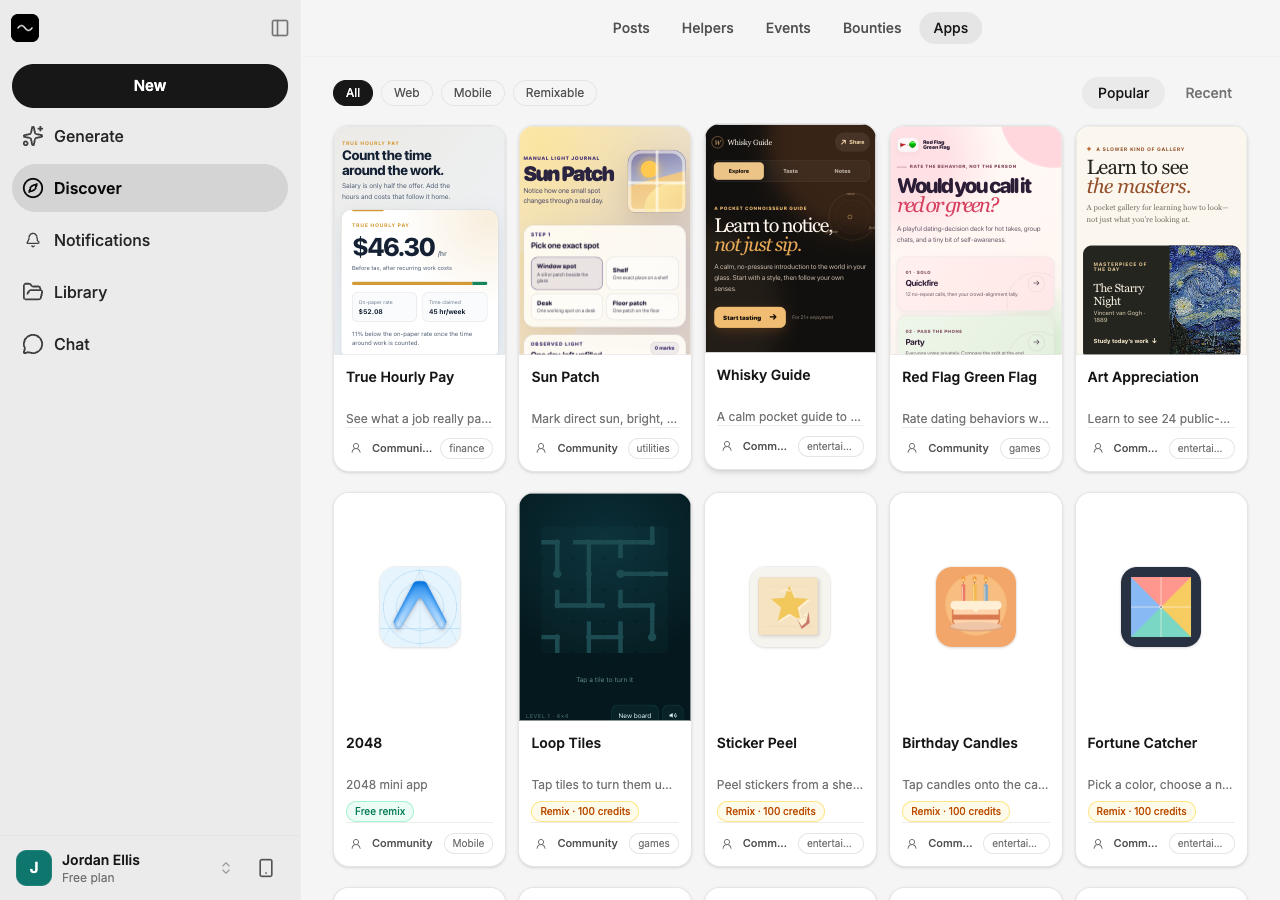
- Open Discover → Apps.
- Browse Popular or Recent, or filter by Web, Mobile, or Remixable.
- Select an app. A web app opens in its preview; its address is shown above it so you can open the app directly.
- Read what the app does before entering information. Individual apps may store information differently.
On iPhone and Android
The iPhone and Android apps are coming; store review is pending. You can use Cue OS in your phone browser now.
- In your phone browser, open Apps.
- Choose Web and open an app that fits your screen.
- In a native test app, use Apps to browse apps supported by that build. A Mobile label does not mean the app runs on every phone platform; try the web version where offered.
Publish with Cue CLI
For builders who already have a web app bundle:
-
Create the app record and upload your bundle:
cue app create '{"app_id":"my-app","name":"My App","version":"1.0.0","app_type":"web"}' --bundle ./dist.tar.gz -
Check the returned details with
cue app get my-app. Then publish deliberately:cue app publish my-app --visibility public -
Run
cue app verify my-app --prod --json, find the app incue app discover, and open its page to check that it works.
publish defaults to unlisted when you omit visibility. Use public for Discover; private keeps access restricted. Use cue app update or cue app upload to change your own app’s metadata or assets. See cue app --help for current options, including install and uninstall.
Remix offers
- Filter the directory by Remixable and read the listed credit price.
- Inspect the offer with
cue app offer <app-id> --json. - If you choose to buy it,
cue app remix <app-id> --max-price <credits> --expected-revision <revision> --request-key <unique-key>requests a private copy at the expected offer. Reuse the same request key when retrying that same purchase.
Limits today
Creating, publishing, and discovering apps has a verified CLI path. Paid remix purchases have not been verified end to end in production. An offer shown in the directory is not a completed purchase. Keep a price limit and check your wallet; do not assume a failed-looking request was free.
Related
Mini apps on Cue OS · Cue Computer · Credits wallet · Safety and privacy · Cue CLI command reference