Feishu and Lark
Message a Cue agent from Feishu or Lark through an app bot you create, set up with Cue CLI on your computer.
Cue OS lets you message a Cue agent from Feishu, or from Lark, its international version. You create an app with a bot on the Feishu or Lark Open Platform, and Cue CLI on your computer connects to it and answers as your agent. Only the people you add as owners can run the agent.
What you can do
- Send the bot a direct message and get Cue's reply in the same chat.
- Mention the bot in a group chat.
- Decide who may run the agent: only owners you add on your computer.
On the web
There is no Feishu or Lark setup screen in Cue OS on the web, and neither is listed in Settings → Connectors. Set it up with Cue CLI as shown below.
On iPhone and Android
The iPhone and Android apps are coming; store review is pending. You can use Cue OS in your phone browser now. Once the bot is set up, you can message it from the Feishu or Lark app on your phone.
With Cue CLI
The bot runs in Cue CLI's background worker on the computer where your agent lives. It connects to Feishu over a long-lived connection, so it needs no public web address. These steps use the default agent, main.
-
On the Feishu Open Platform, or the Lark Open Platform for Lark, create an app for your organization. Copy its App ID and App Secret. Treat the secret like a password.
-
Add the Bot capability to the app.
-
Under permissions, add at least these scopes:
im:message,im:message:send_as_bot,im:message:readonly,im:message.p2p_msg:readonly,im:message.group_at_msg:readonly, andim:chat.members:bot_access. OpenClaw on Feishu lists a broader set from earlier setups; that set has not been checked. -
Save the app details for the agent and turn on direct messages.
read -rswaits for you to paste the secret without showing it; press Enter after pasting. Cue stores the secret in its local credential file rather than in the agent settings:read -rs FEISHU_APP_SECRET cue config set agents.main.channels.feishu.appId "<app-id>" --json cue config set agents.main.channels.feishu.appSecret "$FEISHU_APP_SECRET" --json cue config set agents.main.channels.feishu.dm.policy open --json cue config set agents.main.channels.feishu.enabled true --jsonFor Lark, also run:
cue config set agents.main.channels.feishu.domain lark --json -
Restart the background worker so it connects, then check the connection:
cue client restart --agent main --json
cue --agent main channel status --provider feishu --json
If the status says the channel runtime worker is unavailable, start it with
cue client start --agent main. -
Back on the Open Platform, open Events and Callbacks and choose to receive events through a persistent connection. The Open Platform may offer that choice only after Cue has connected once. Add the event
im.message.receive_v1, then publish a version of the app so people in your organization can use it. Restart the worker again afterwards:cue client restart --agent main --json -
Send the bot a direct message in Feishu or Lark. Until you are an owner, it replies "Access denied. Your feishu user ID is your ID" and shows the command to run. Run it on your computer, then message the bot again:
cue --agent main channel owner add --provider feishu <your-feishu-user-id> -
To use the bot in a group chat, add it to the group, allow only yourself, and restart the worker. In groups the bot answers only when mentioned:
cue config set agents.main.channels.feishu.groupPolicy open --json
cue config set agents.main.channels.feishu.groupAllowFrom '["<your-feishu-user-id>"]' --json
cue client restart --agent main --json
Keep the ID in quotes inside the brackets, as shown. With an empty list, the bot accepts group messages from everyone in the group.
-
To turn the bot off, set
enabledtofalseand restart the worker:cue config set agents.main.channels.feishu.enabled false --json cue client restart --agent main --json
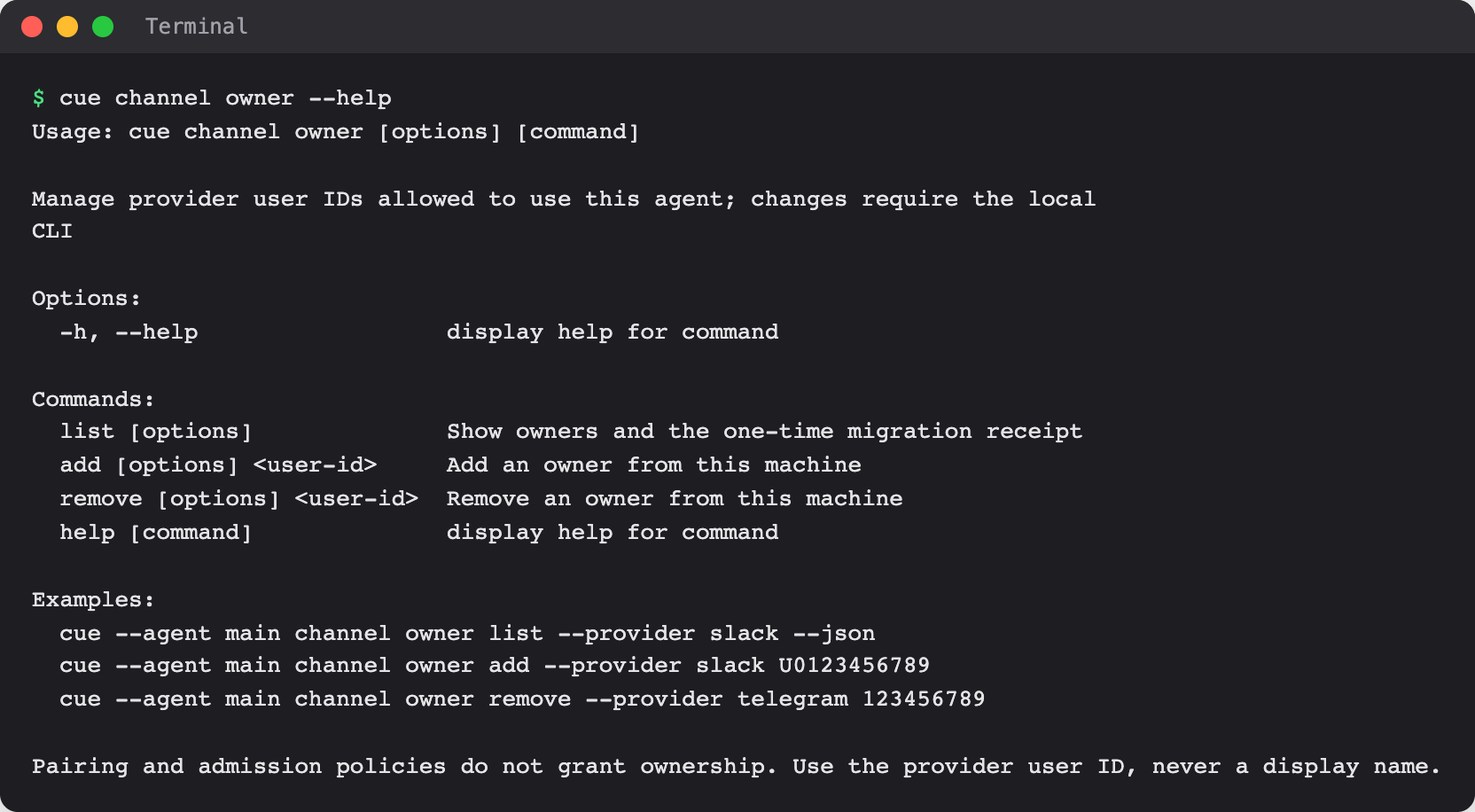
Cue CLI has no Feishu command of its own; see cue channel in the command reference.
When Cue asks you first
The bot runs only for its owners. Anyone else who reaches it gets the "Access denied" reply and the agent does not run. In a group, that reply goes out at most once a minute. To have Cue ignore other people's direct messages instead, allow only yourself:
cue config set agents.main.channels.feishu.dm.allowFrom '["<your-feishu-user-id>"]' --json
cue client restart --agent main --json
Remove an owner with cue --agent main channel owner remove --provider feishu <user-id>. Owner changes apply to the next message without a restart.
Limits today
- The bot runs only while your computer is on and Cue CLI's background worker is running.
- Replies include the model's reasoning text when the model returns any. To leave it out, run
cue config set agents.main.channels.feishu.includeThinking false --jsonand restart the worker. - The permission list above is a starting set for reading and sending messages; it was not checked against a live app. Your organization's Open Platform settings decide the final list, and an administrator may need to approve the app.
- Creating an app, a full message round trip, and turning the bot off were not walked end to end for this page. The steps follow Cue CLI's code; the Open Platform steps were not checked live.
Related
Extensions and integrations · Slack · OpenClaw on Feishu · Cue CLI command reference