OpenAI Codex
Use your own ChatGPT or Codex sign-in for OpenAI models in Cue OS, so those requests run on your plan instead of Cue credits.
The OpenAI Codex connection lets Cue OS use your own ChatGPT or Codex sign-in when Cue runs an OpenAI model. While it is connected, those requests go through your OpenAI plan and are not charged to your Cue credits.
What you can do
- Run OpenAI models in Cue on your own ChatGPT or Codex plan.
- See the connection on the Connectors page, and disconnect it to go back to Cue credits.
On the web
- Open Settings → Connectors and select OpenAI Codex. The card reads "Use your ChatGPT/Codex sign-in for OpenAI models" and lists 4 permission scopes: your OpenAI identity, profile, and email, plus offline access so Cue can refresh the sign-in.
- The card shows Connect. According to the product code, this button has no OpenAI sign-in to open in this release, so expect "Failed to initiate connection". This was not tried live.
- The sign-in that saves this connection today is Sign in with Codex under OpenAI Codex OAuth, in the auth settings of an OpenClaw computer. You enter a code on OpenAI's sign-in page, and Cue OS confirms "Codex OAuth saved to account". This was not walked for this page.
- When connected, the card shows the account and a Disconnect button. Disconnect and confirm to go back to Cue credits.
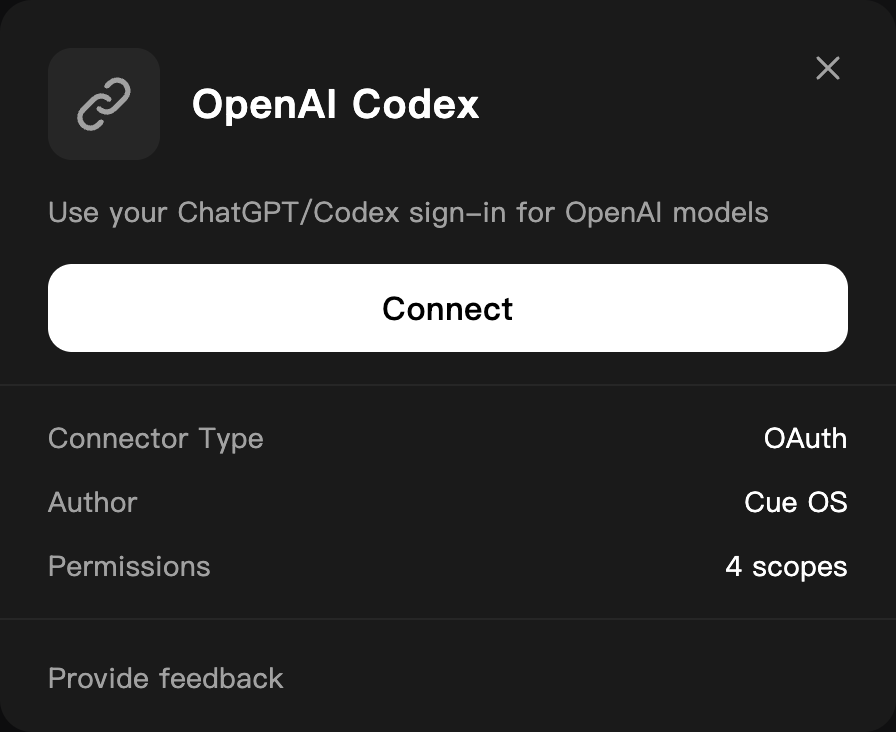
The OpenAI Codex card before connecting, on a dedicated QA account.
On iPhone and Android
The iPhone and Android apps are coming; store review is pending. You can use Cue OS in your phone browser now. Open Settings → Connectors and follow the web steps.
With Cue CLI
The provider ID is openai_codex_byok.
-
Check whether it is connected, and when the current sign-in expires:
cue integration list -
Remove it:
cue integration revoke openai_codex_byok --json
cue integration connect openai_codex_byok uses the same sign-in request as the web Connect button, so it is expected to fail the same way. See the command reference for every option.
How it affects billing
- With the connection in place, Cue sends OpenAI model requests with your sign-in first and does not charge them to Cue credits.
- If your ChatGPT or Codex plan reaches its usage limit, Cue says your subscription has hit its usage limit. It does not switch to Cue credits for you; the limit resets on OpenAI's schedule, or you can pick another model.
- If Cue cannot refresh your sign-in, the request fails with an error rather than quietly switching to Cue credits. Reconnect to fix it.
- An agent account uses its own connection first. It uses its creator's only when the creator has granted it.
- Models from other providers are not affected.
Limits today
- Starting a new connection from the Connectors card or
cue integration connectis expected to fail, based on the product code; it was not tried live. - Connecting through Sign in with Codex, using the connection, and disconnecting were not walked end to end for this page.
- OpenAI's own terms and plan limits apply to requests made with your sign-in.
Related
Extensions and integrations · Agent runtime and models · OpenClaw setup · Cue CLI command reference