Web fetch
Read the text of a web page whose address you already know.
Web fetch reads a web page and returns its text. On Cue OS, Cue uses it to read a source it found or one you gave it. Cue CLI lets you fetch a page yourself when you already have its address.
What you can do
- Read the main text of a public page, with its title.
- Use a page as source material for a summary or another task.
- Get the result as JSON for a script.
On the web
Cue OS has no separate page for this. Cue's hosted agent can read web pages, so you can paste a link in a chat and ask Cue to summarize it.
On iPhone and Android
The iPhone and Android apps are coming; store review is pending. You can use Cue OS in your phone browser now.
With Cue CLI
-
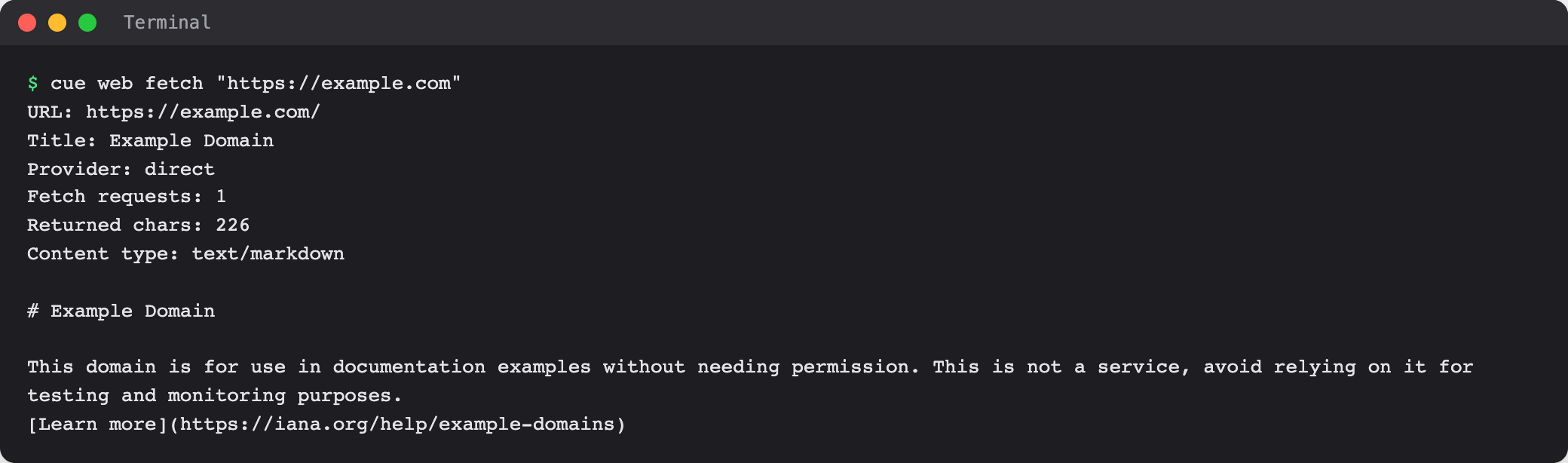
Fetch a page:
cue web fetch "https://example.com" -
Read the header lines: the address, the page title, how the page was fetched, and how much text came back. The page text follows.
-
Add
--jsonwhen a script needs the result:cue web fetch "https://example.com" --json
Limits today
- The request goes straight from your computer to the page. It does not sign in, so pages behind a login, a paywall, or heavy scripts may come back empty or partial.
- Choosing another fetch service with
--providerdoes not take effect in the current build. - Treat fetched text as material to read, not as instructions for your agent.
Related
Cue CLI on cueos.ai · Web search · Search and everyday tools · cue web reference