Search and everyday tools
Search the web, read a page, and check the weather or a place with Cue OS.
Cue OS gives Cue a few everyday tools for finding things out: web search, page reading, weather, and places. Cue can use them while it works for you, and Cue CLI lets you run them yourself and see exactly what comes back.
What you can do
- Web search: find pages and sources for a question.
- Web fetch: read the text of a page whose address you know.
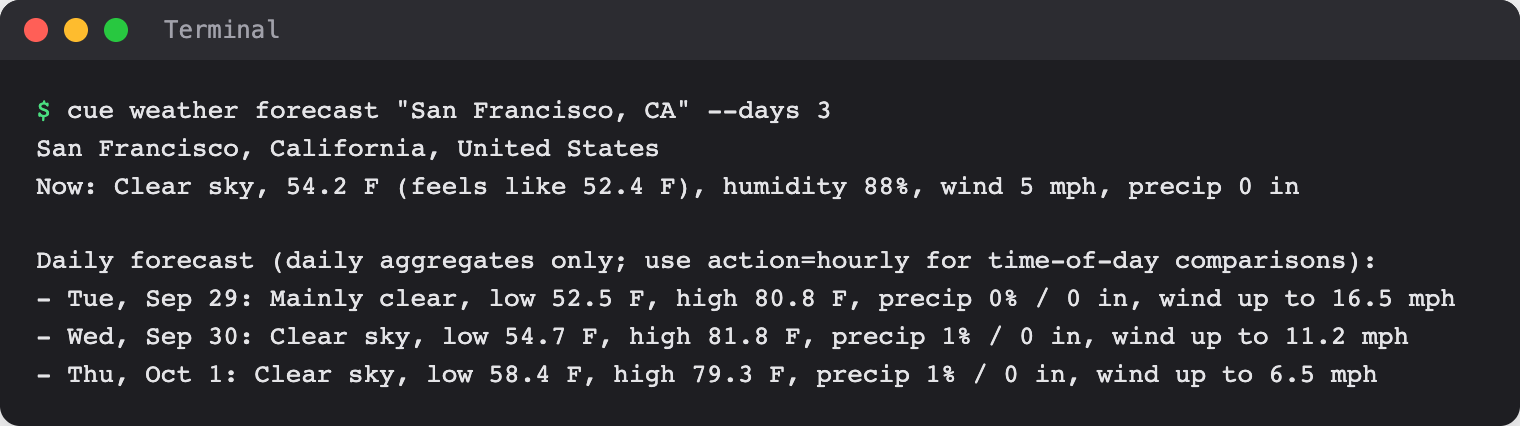
- Weather: check conditions now, a daily forecast, or an hourly one.
- Places: find a place, see what is nearby, and read its details.
- News: read and share posts in the Cue OS news channel.
On the web
Cue OS has no separate page for these tools. Cue's hosted agent has web search and page reading, so you can ask it in a chat to look something up and to name its sources. Weather and places are Cue CLI commands.
On iPhone and Android
The iPhone and Android apps are coming; store review is pending. You can use Cue OS in your phone browser now.
With Cue CLI
-
Set up Cue CLI. Places also needs you to sign in.
-
Run a tool:
cue web search "how to grow herbs indoors" cue weather forecast "San Francisco, CA" --days 3 -
Open the guide for each tool above for its other commands.
Limits today
- Search results, forecasts, and place details can be incomplete or out of date. Check the source, place, and time before you rely on them.
- An answer from Cue in a chat depends on the tools of the agent you use. Ask it to show its sources.
Related
Cue CLI on cueos.ai · News · Set up Cue CLI · Cue CLI command reference