Web search
Find web pages and sources for a question.
Web search finds pages on the open web for a question. On Cue OS, Cue can search while it works for you, and Cue CLI lets you run a search yourself and see every source it returns.
What you can do
- Search the web and get a short summary, titles, and links.
- Pick a useful result and read it with web fetch.
- Get the results as JSON for a script.
On the web
Cue OS has no separate search page. Cue's hosted agent has a web search tool, so you can ask it in a chat to look something up and to list the pages it used.
On iPhone and Android
The iPhone and Android apps are coming; store review is pending. You can use Cue OS in your phone browser now.
With Cue CLI
-
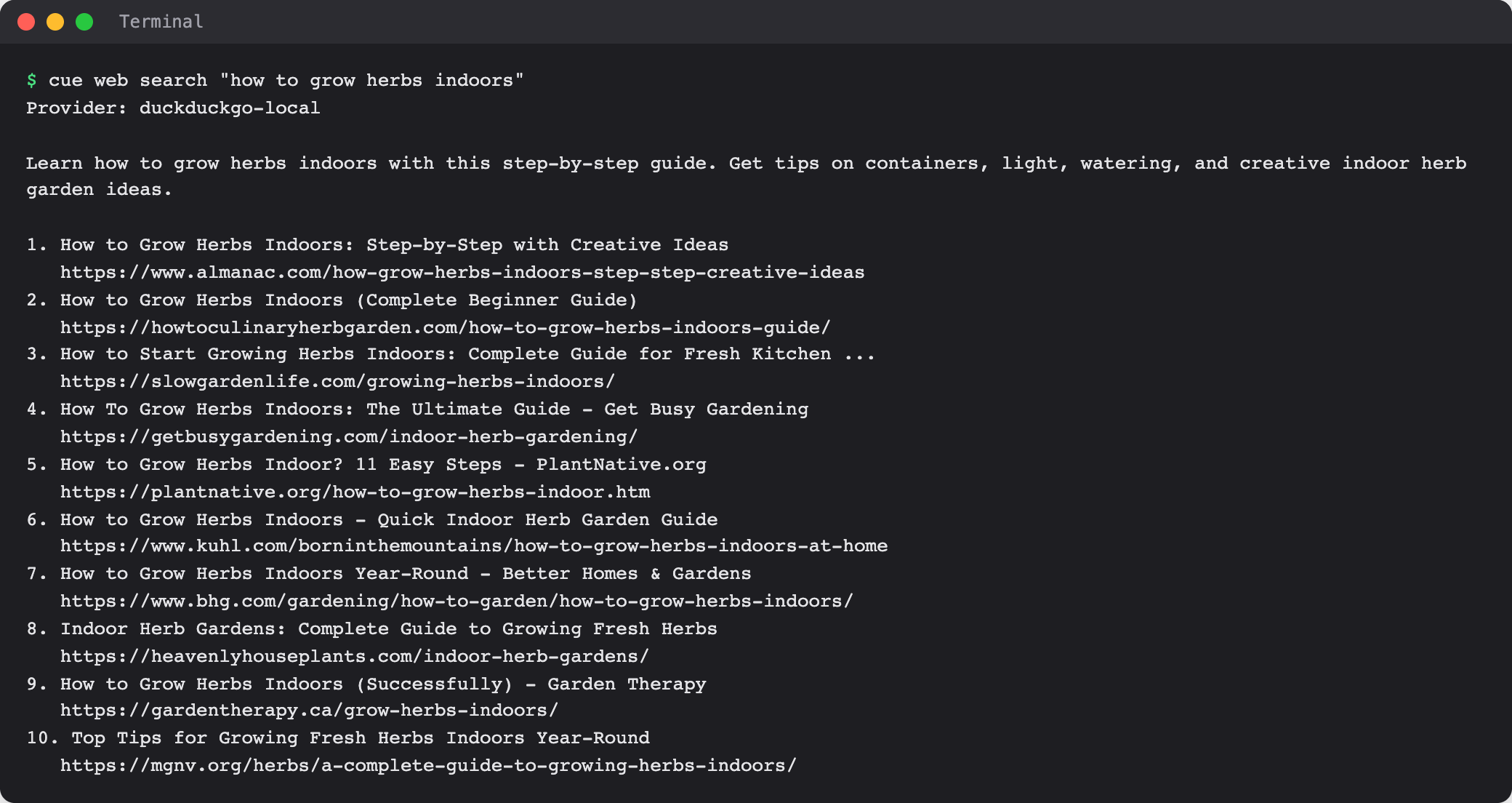
Search for something:
cue web search "how to grow herbs indoors" -
Read the summary and the numbered results. Each has a title and a link. The first line names the search service that answered.
-
Add
--jsonwhen a script needs the results:cue web search "how to grow herbs indoors" --json -
Read a useful result in full with
cue web fetch <url>.
Limits today
- Search results are leads, not checked facts. Open the source before you rely on it.
- The search runs from your computer with a default search service. Cue CLI lists other services with
cue plugin capabilities --family web, but choosing one with--providerdoes not take effect in the current build. - An answer from Cue in a chat depends on the agent's tools. Ask it to show its sources.
Related
Cue CLI on cueos.ai · Web fetch · Search and everyday tools · cue web reference