X
Link an X account to Cue OS with read-only access, see what it does today, and remove it.
The X connector links an X account to Cue OS with read-only access. The card describes it as reading posts, searching, and viewing profiles. It cannot post. This page could not confirm any Cue feature that uses the connection today, so connect it only if you have a use for it.
What you can do
- Link an X account in Settings → Connectors, with read-only access.
- Reconnect it when the card says Reconnect required.
- Disconnect it.
On the web
- Open Settings → Connectors and select X (Twitter) under Add connectors. The card reads "Read tweets, search, and view profiles" and lists 3 permission scopes: read profiles, read posts, and offline access so the connection can refresh.
- Choose Connect. X's sign-in opens in a pop-up, through a sign-in service Cue OS uses for X.
- Back in Cue OS, X appears under Enabled connectors.
- If the card shows Reconnect required, choose Reconnect to sign in again, or Disconnect instead.
- To remove it, open the card, choose Disconnect, and confirm. Cue OS deletes the connection and asks the sign-in service that holds it to delete it too.
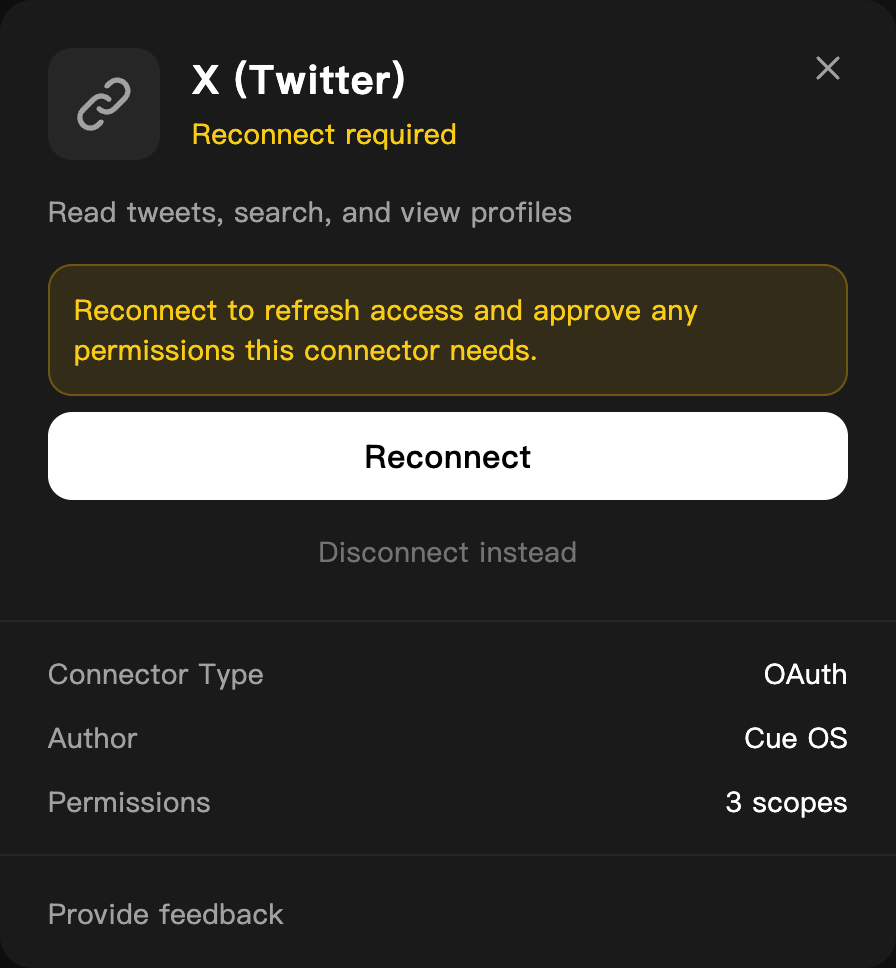
An expired X connection on a dedicated QA account.
On iPhone and Android
The iPhone and Android apps are coming; store review is pending. You can use Cue OS in your phone browser now. Open Settings → Connectors and follow the web steps.
With Cue CLI
Cue CLI has no X command of its own, and there is no X skill. The provider ID is composio_twitter.
-
Connect, or check the connection. If it is not connected, the first command prints a link; open it, approve, and list again:
cue integration connect composio_twitter cue integration list -
Remove the connection:
cue integration revoke composio_twitter --json
See the command reference for every option.
Limits today
- No Cue feature was found that reads X through this connection: there is no X skill, and
cue skill search twitterfinds none. - The connection is read-only. Cue cannot post, reply, or like on X with it.
- Connecting, reconnecting, and disconnecting were not walked end to end for this page. The steps follow the live card, which shows an expired connection, plus the product code.
Related
Extensions and integrations · LinkedIn · Cue CLI command reference