Setup
OpenClaw model auth
Choose the credentials and default model OpenClaw uses, and check that it answers.
OpenClaw needs model access before it can answer anyone, in the Cue OS chat or in a chat app. Set it up on the web first; the terminal commands below help you check it.
On the web
- Open the agent's details, choose Computer, then Cloud computer, with OpenClaw chosen under Agent engine. See OpenClaw.
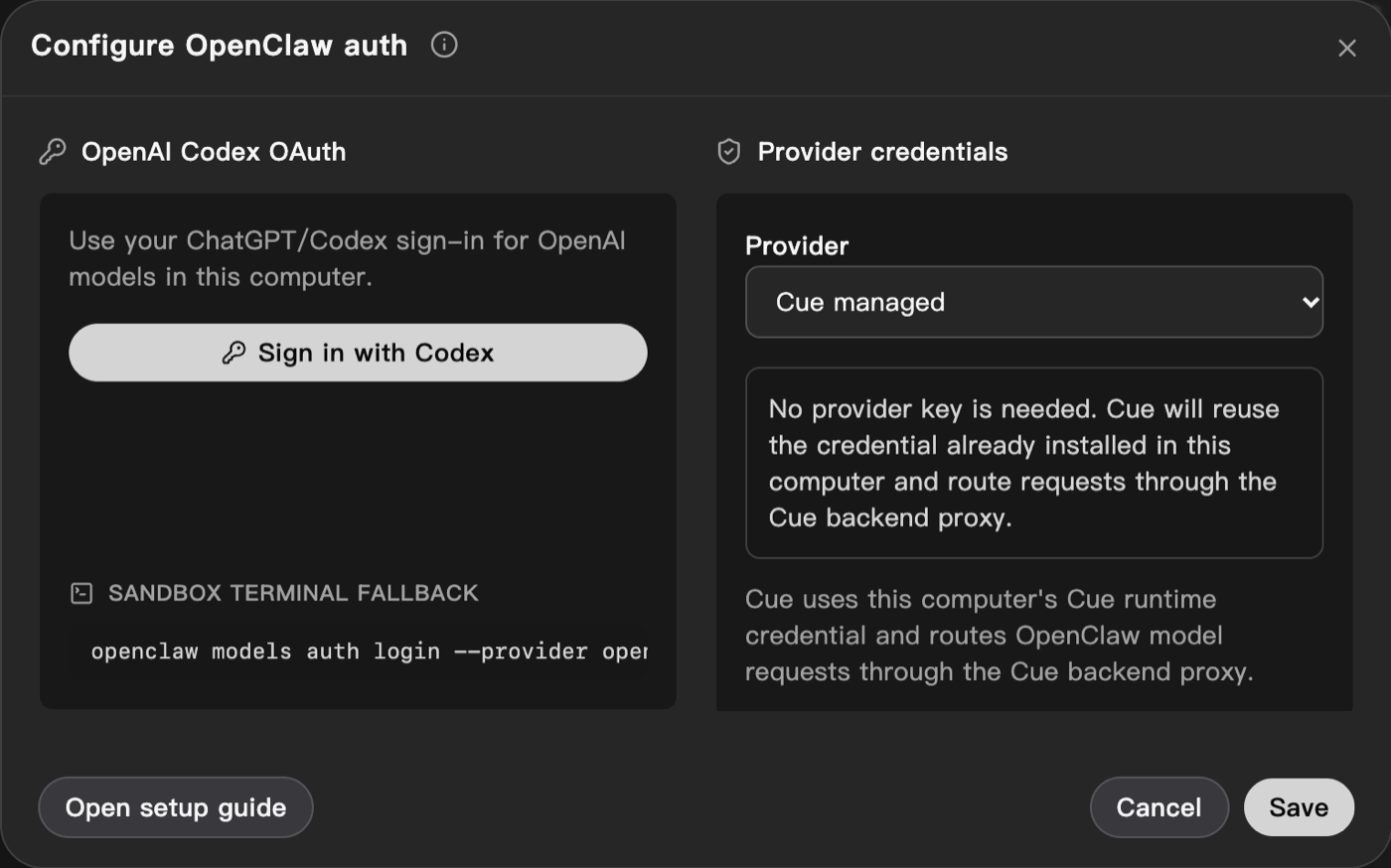
- Choose Configure. The Configure OpenClaw auth dialog opens.
- Choose a Provider:
- Cue managed: no key is needed. OpenClaw uses the computer's own Cue sign-in, and Cue sends its model requests.
- Anthropic or OpenAI: paste your API key. The key is applied to OpenClaw on this computer. This action does not save an account-wide connection or automatically configure other computers.
- To use your Codex sign-in for OpenAI models, choose Sign in with Codex and follow the code it shows.
- If OpenClaw on the computer already has credentials, choose Detect from computer to reuse them.
- Choose Save.
- Back in Computer, choose a default model from the list in the Default model row.
In the computer's terminal
Open the terminal from the workspace: Files, then More options, then Terminal.
- See the current default model:
openclaw models status --plain- See the models you can use. Each is shown as
<provider>/<model-id>:
openclaw models list --plain- To change the default model, pick one from that list:
openclaw models set <provider>/<model-id>- Check that OpenClaw answers:
openclaw agent --agent main --message "Reply with OK only"Expected:
OKIf this fails, fix model access before you set up a chat platform.
Sign in with Codex from the terminal
The dialog's Sandbox terminal fallback box gives this command. Run it on the same computer where OpenClaw runs. This was not tested for this page:
openclaw models auth login --provider openai-codex --set-defaultA sign-in copied from another tool or computer may not refresh on a new computer. If it stops working, sign in again on that computer.
Common problems
No API key found for provider "<provider>". The default model belongs to a provider OpenClaw has no credentials for. Choose a model fromopenclaw models list --plain, or add credentials with Configure.- With Cue managed, a reply fails with an error saying the provider "is currently unavailable through Cue". Cue could not reach the model provider at that moment. Try again later.
See Troubleshooting for more.