Projects
Keep a piece of ongoing work, its chat, and its files together.
A project on Cue OS keeps one piece of ongoing work in one place: a name and description, a chat with Cue, and the files that work needs. The web and Cue CLI show the same projects, so a project made in one appears in the other.
What you can do
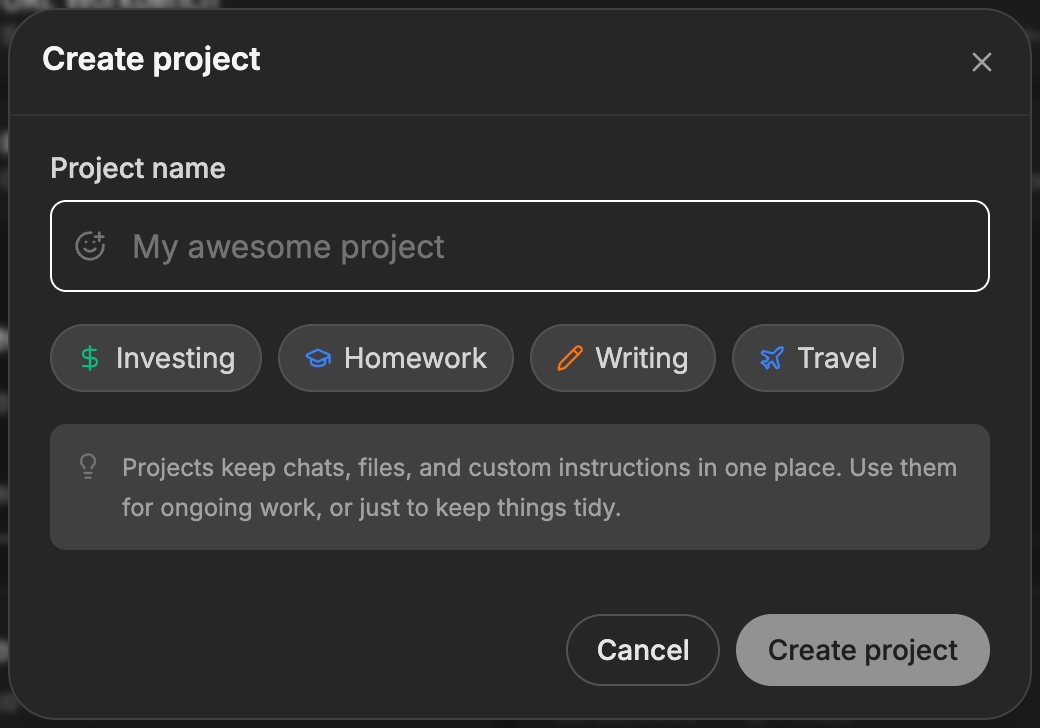
- Create a project from a blank start or a template such as Writing or Travel.
- Star the projects you use most and filter to them.
- Start a chat with Cue inside a project.
- Upload, preview, and delete project files.
- Rename a project, change its description, or delete it.
On the web
- Go to cueos.ai/app/projects. Projects is not in the main navigation yet. You can also press Cmd+K (Ctrl+K on Windows) and choose Go to Projects.
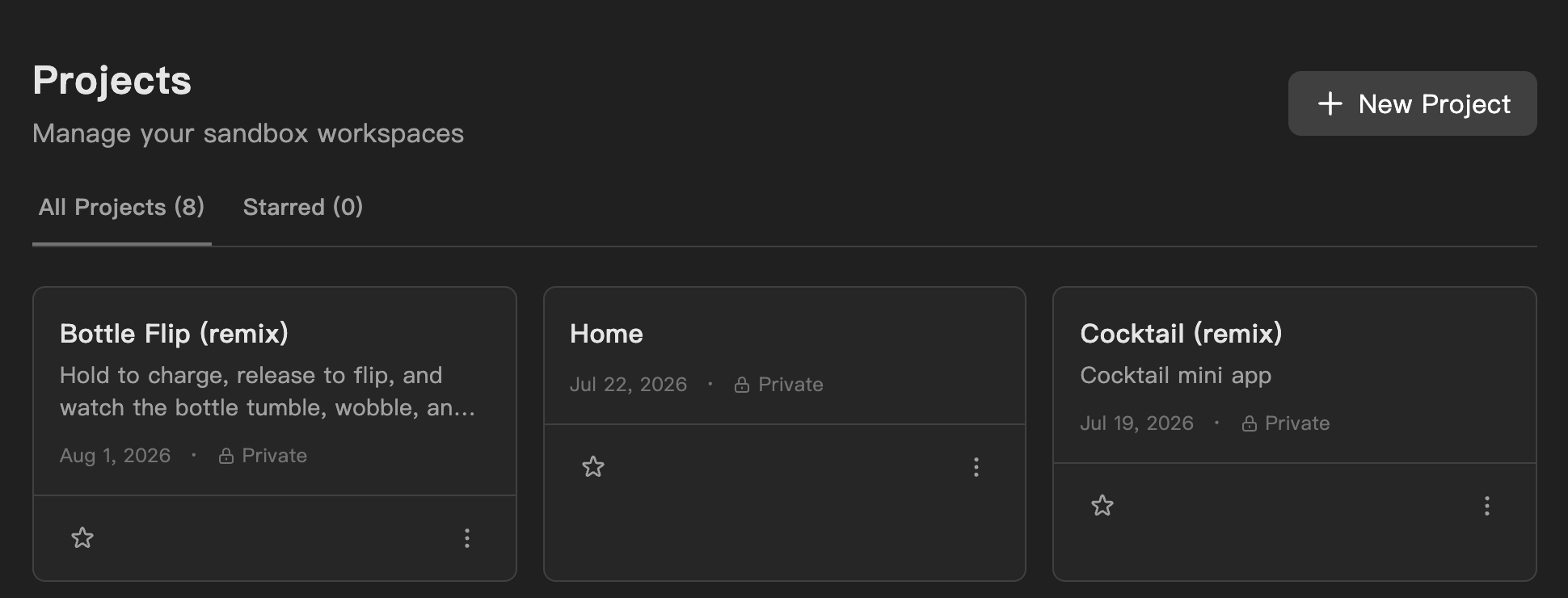
- Scroll past My Creations to Projects.
- Select New Project. Enter a Project name, or pick a template to fill in a name and icon, then select Create project. The new project opens.
- On a project's page, the Tasks tab lists its chat. If it has none yet, select Start conversation.
- Select the gear button at the top right to open Project Settings:
- General: change the name and description, then select Save changes. Delete project is here too, and asks you to confirm.
- Files: select Upload, or drag files in. Open a file to preview it, or delete it.
- Back on the project list, use the star on a card to add it to Starred, or its three-dot menu to delete it.
On iPhone and Android
The iPhone and Android apps are coming; store review is pending. You can use Cue OS in your phone browser now.
- Open cueos.ai/app/projects in your phone browser and sign in.
- Follow the web steps above.
With Cue CLI
-
Check which account your commands will use, then list its projects:
cue auth --json cue project list --json -
Create a project and keep the ID it returns:
cue project create '{"name":"Garden plan","description":"Notes for the spring garden"}' --json -
Read or update the project:
cue project get <project-id> --json cue project update <project-id> '{"description":"Planting notes and a layout"}' --json -
Add a file and find it again:
cue project file-upload <project-id> ./planting-notes.txt --json cue project file-list <project-id> --json cue project file-get <project-id> <file-id> --json -
Remove a file, or the whole project, when you are done:
cue project file-delete <project-id> <file-id> --json
cue project delete <project-id> --json
Files you add with cue project file-upload show under Project Settings → Files on the web.
Limits today
- Projects is reached by its web address or the Cmd+K menu, not the main navigation.
- The Files tab on a project's page does not list files yet. Use Project Settings → Files instead.
- Deleting a project stops its sandboxes and removes its data.
- Projects are private to your account. There is no option to share a project with other people.
Related
Files · Memory · Mini apps · cue project reference · Cue CLI command reference